The document editor built for AI agents, first.
Markdown as the native working format. Real .docx fidelity. Every action a command your agent can call over a CLI, a JSON control protocol or an MCP server, with a familiar word processor for when a human's at the keyboard.
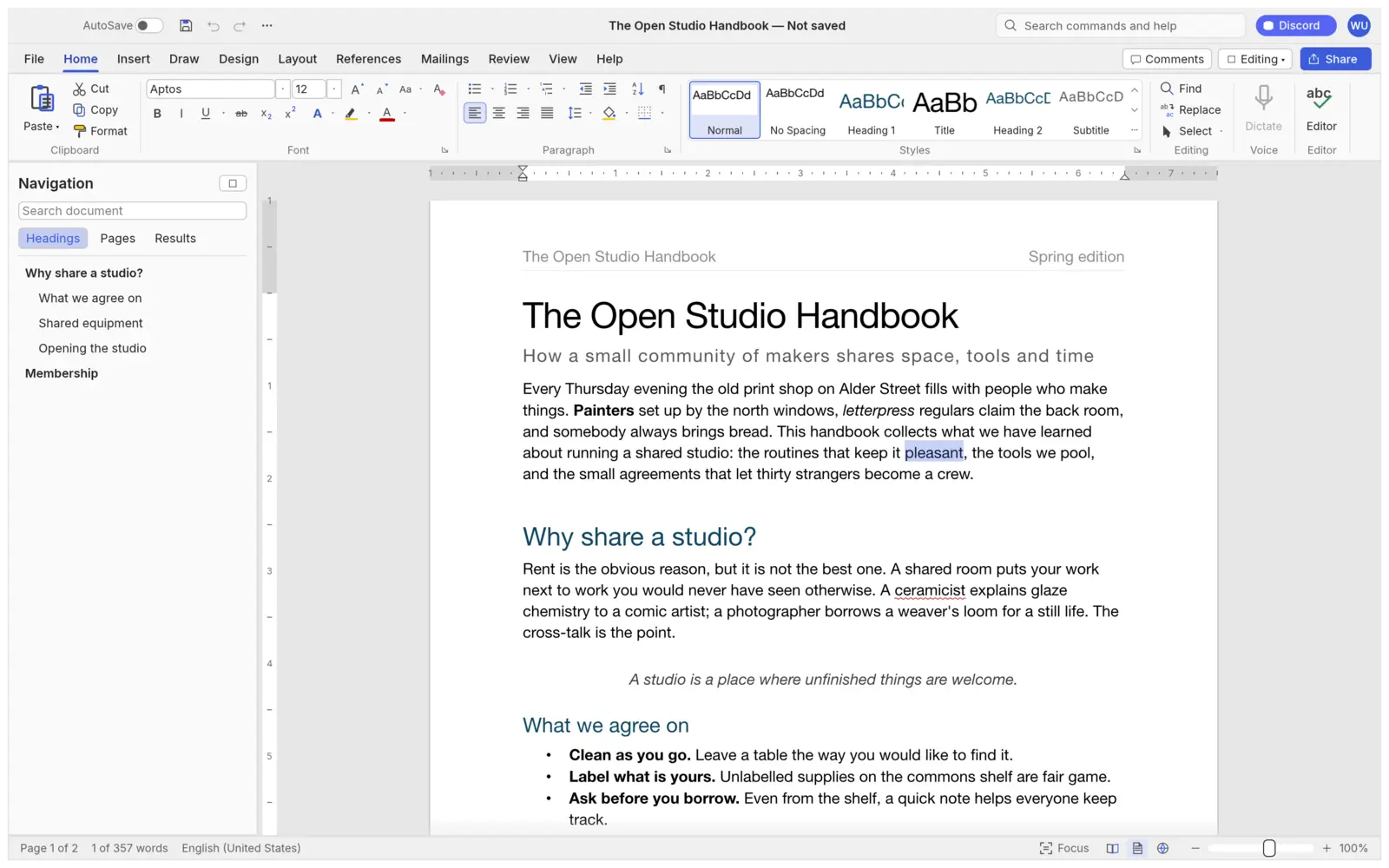
Agents don't screen-scrape. They call commands.
Every action in MarkdownDocs, from the ribbon and keyboard shortcuts to the command search, is a command with a stable id and JSON parameters. The same commands are exposed to your agent, so it edits documents the way it edits code.
- MCP server: plug it into Claude or any MCP client, headless or connected to the running app.
- Checks its own work with
inspect_document, no screenshots needed. - Sandboxable: confine the agent to read and write roots you choose.
- CLI and JSON scripts for batch jobs: convert, inspect, edit and save in one run.
- Macros record any sequence of commands and play it back.
# add MarkdownDocs to your agent as an MCP server
claude mcp add wordcraft -- wordcraft-cli mcp

# keep the agent inside chosen folders
wordcraft-cli mcp --automation-read-root DIR \
                  --automation-write-root DIR

# or let it drive the running app
wordcraft --control 7981 &
claude mcp add wordcraft-app -- wordcraft-cli mcp --connect 127.0.0.1:7981

# tools your agent gets
list_commands · execute · batch · type_text · select_text
inspect_document · render_page · save_document
screenshot · click · key   # with a running app

# one-shot edits from the command line
wordcraft-cli run --template sample \
  --cmd 'select.text={"text":"Membership"}' --cmd format.bold \
  --save out.docx
One tool for every document an agent, or a person, needs.
Read, edit and produce Markdown and Word documents without losing what matters, on any platform, privately.
Markdown-native
Markdown isn't a lossy one-way export here. It's a first-class format on par with .docx, for AutoSave, round-trips and ongoing work.
Built for agents first
Stable command ids and JSON params drive the ribbon, shortcuts, CLI, control channel and MCP server alike.
Your files, many formats
Opens and saves .docx, .odt, .rtf, .html, .md, .tex and .txt, imports legacy .doc, and exports PDF with selectable text, links and bookmarks.
Familiar for humans
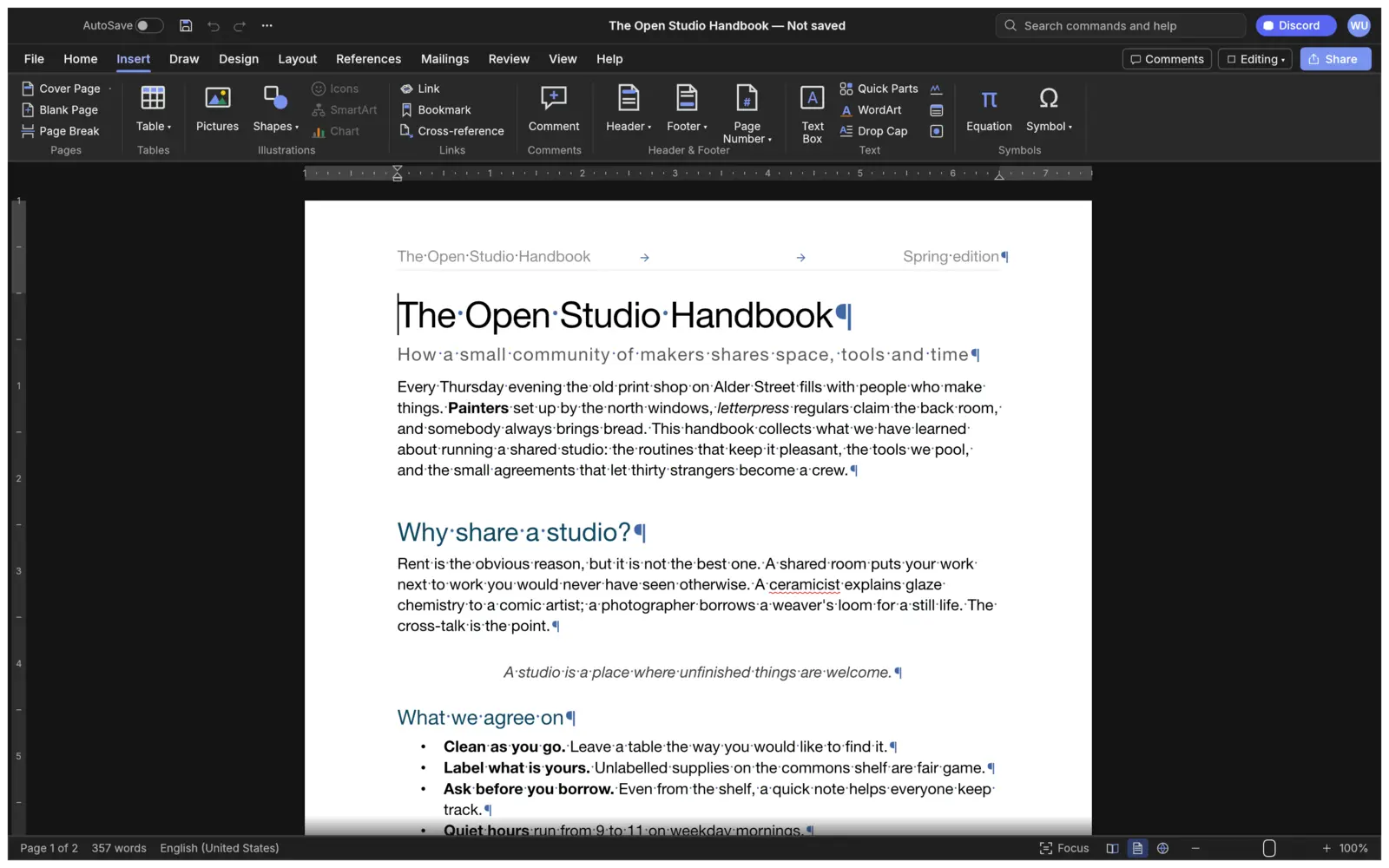
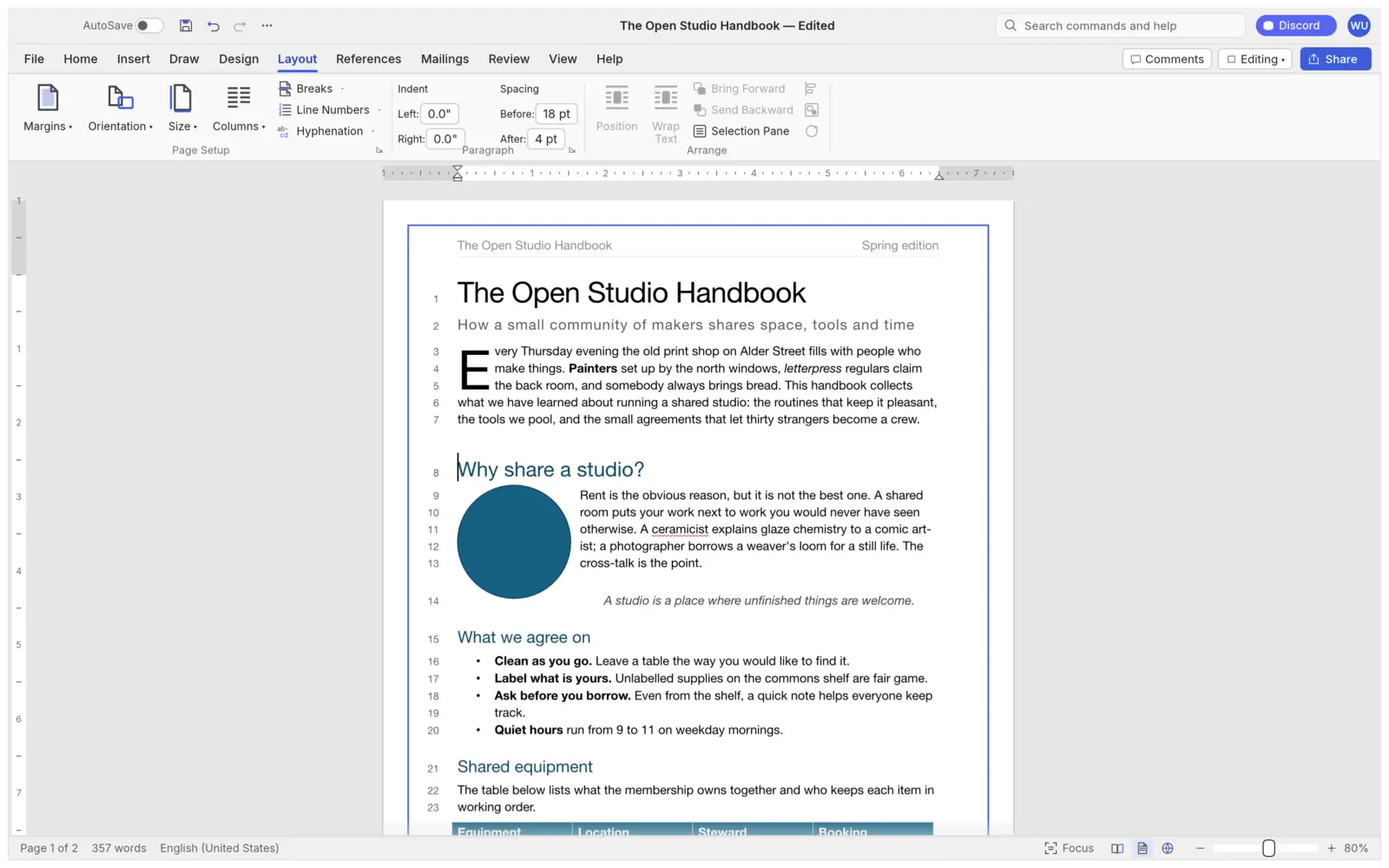
Ribbon tabs, styles, track changes, comments and the shortcuts you already know: Enter continues a list, F4 repeats, F7 checks spelling.
Fast
Cached paragraph layout re-lays out a 188-page document in about 1.4 ms as you type. Pages render on demand.
Everywhere
One Rust codebase for macOS, Windows, Linux, BSD and the web. No Electron, no Tauri: native egui on the GPU.
Private
Spelling, grammar and everything else work offline. Document text is never written to the logs.
Open
MIT OR Apache-2.0. Clean-room: built from public specifications, with every asset original or openly licensed.
A full word processor under the hood.
The features agents call are the same ones people use, from review and references to layout and design.
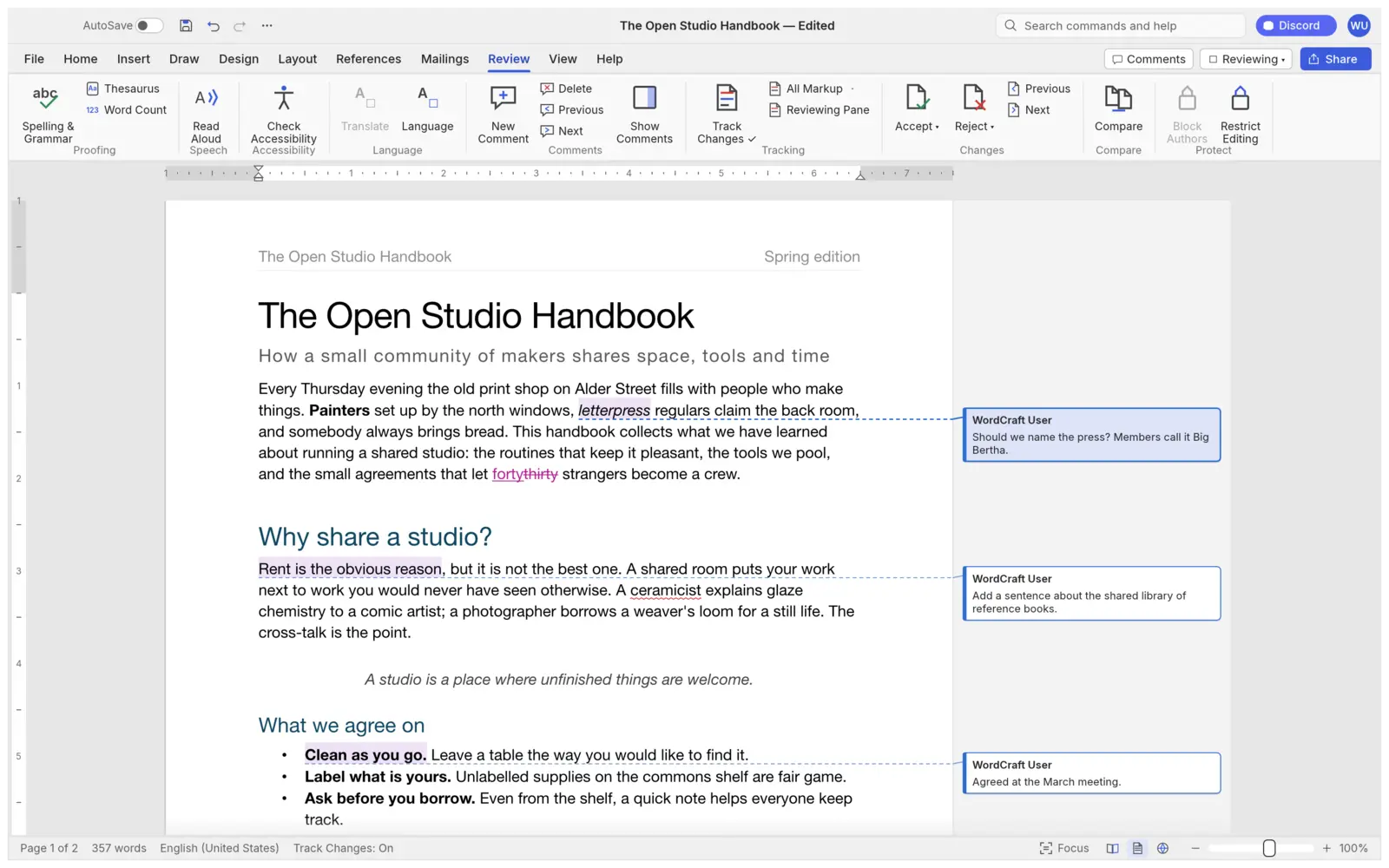
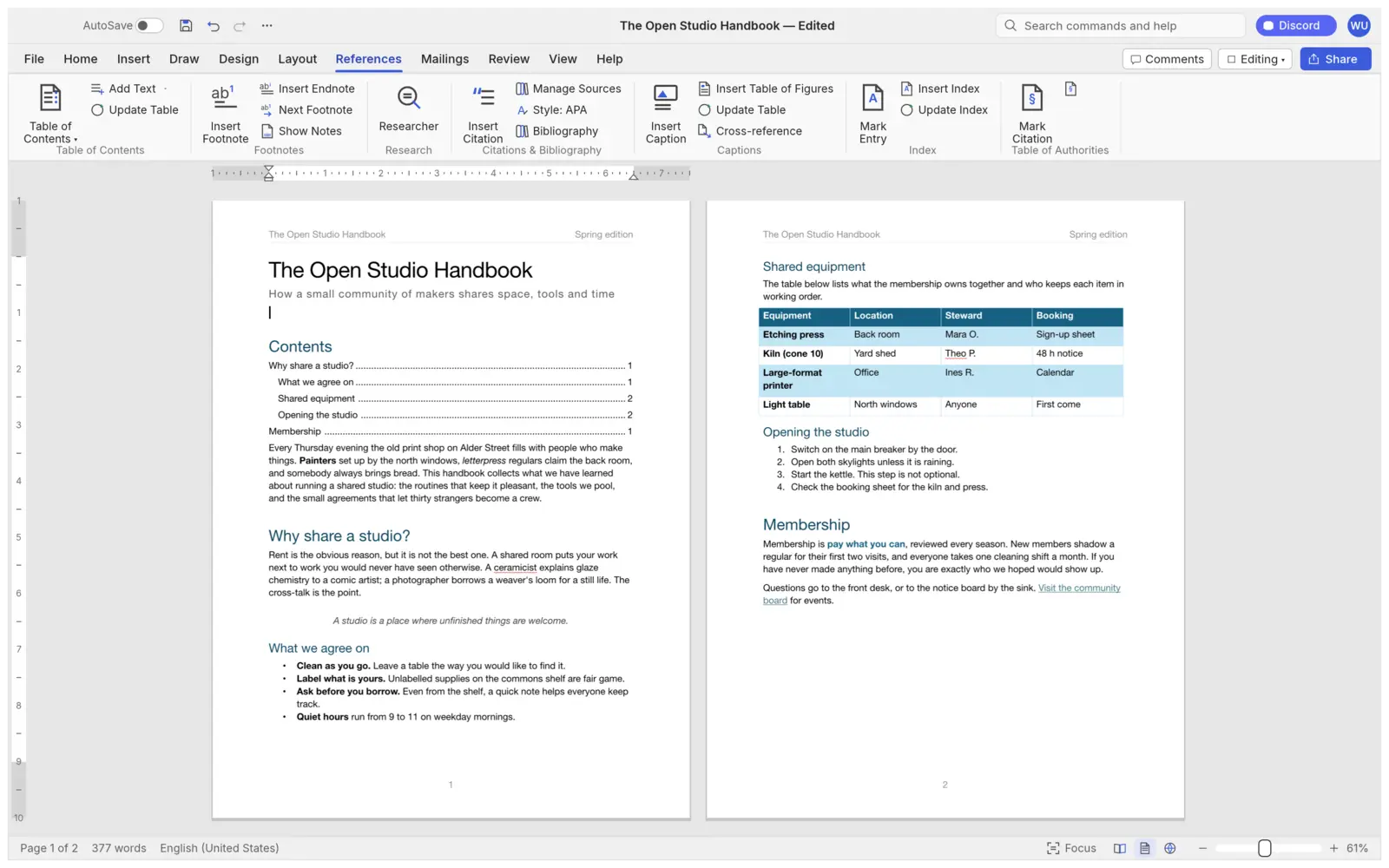
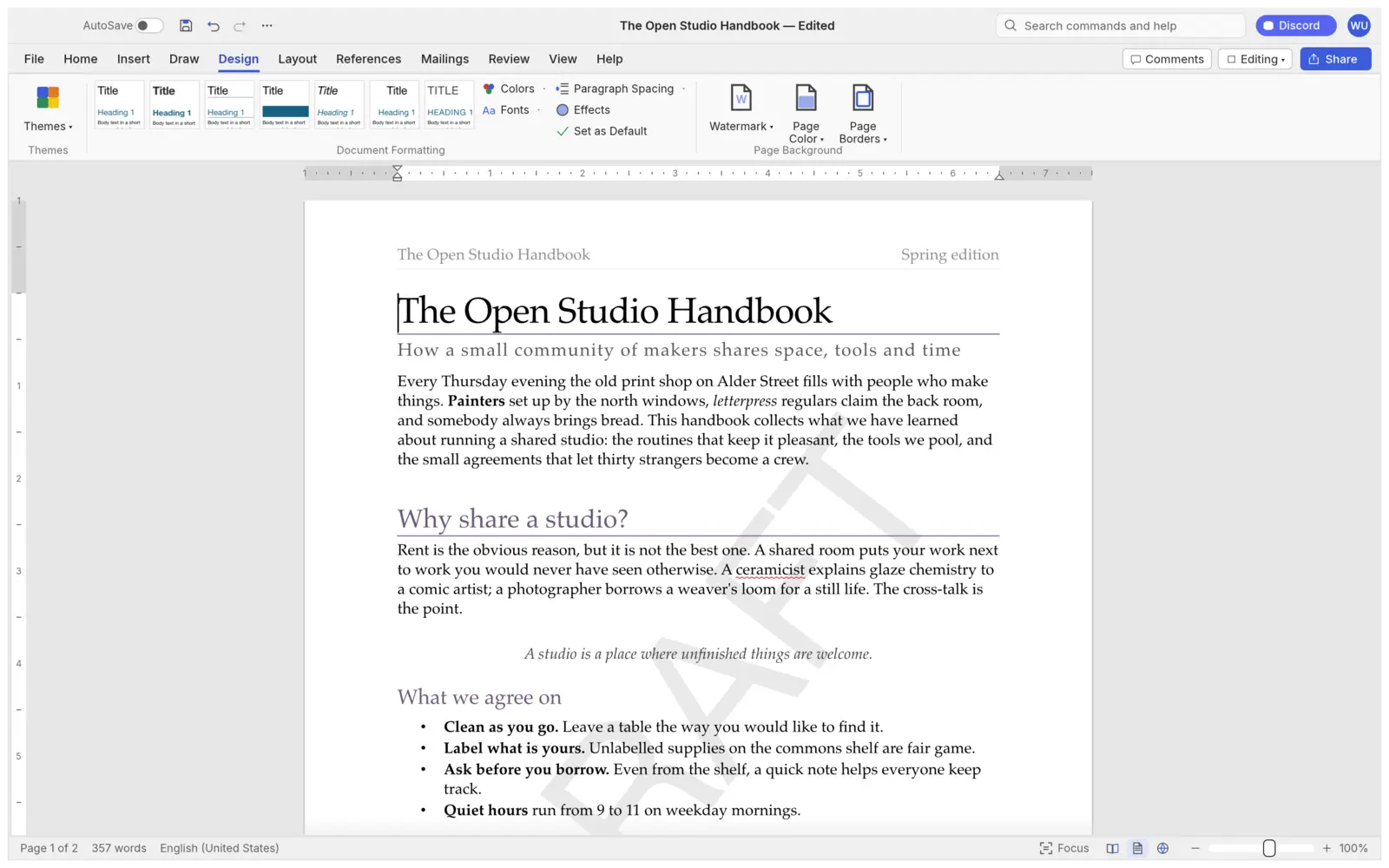
Bring any document. Take it anywhere.
Open and save the formats your work already uses, then export PDF with real, selectable text, links and bookmarks.
1. Run the desktop app
git clone https://github.com/MichaelMuClaude/MarkdownDocs
cd MarkdownDocs
cargo run --release -p wordcraft -- --sample
cargo run --release -p wordcraft -- report.md
2. Convert and inspect from the CLI
wordcraft-cli convert report.docx report.pdf
wordcraft-cli text report.docx
wordcraft-cli inspect report.docx   # JSON
wordcraft-cli run --script job.json
3. Connect your agent
claude mcp add wordcraft -- wordcraft-cli mcp

# Linux: install as markdowndocs + launcher
packaging/linux/install-local.sh
wordcraft / wordcraft-cli, inherited from the fork. Feature maturity is roughly alpha to beta depending on the area; see the roadmap.
Give your agents a real document editor.
Issues and pull requests are welcome, from people and from AI agents working on someone's behalf alike.